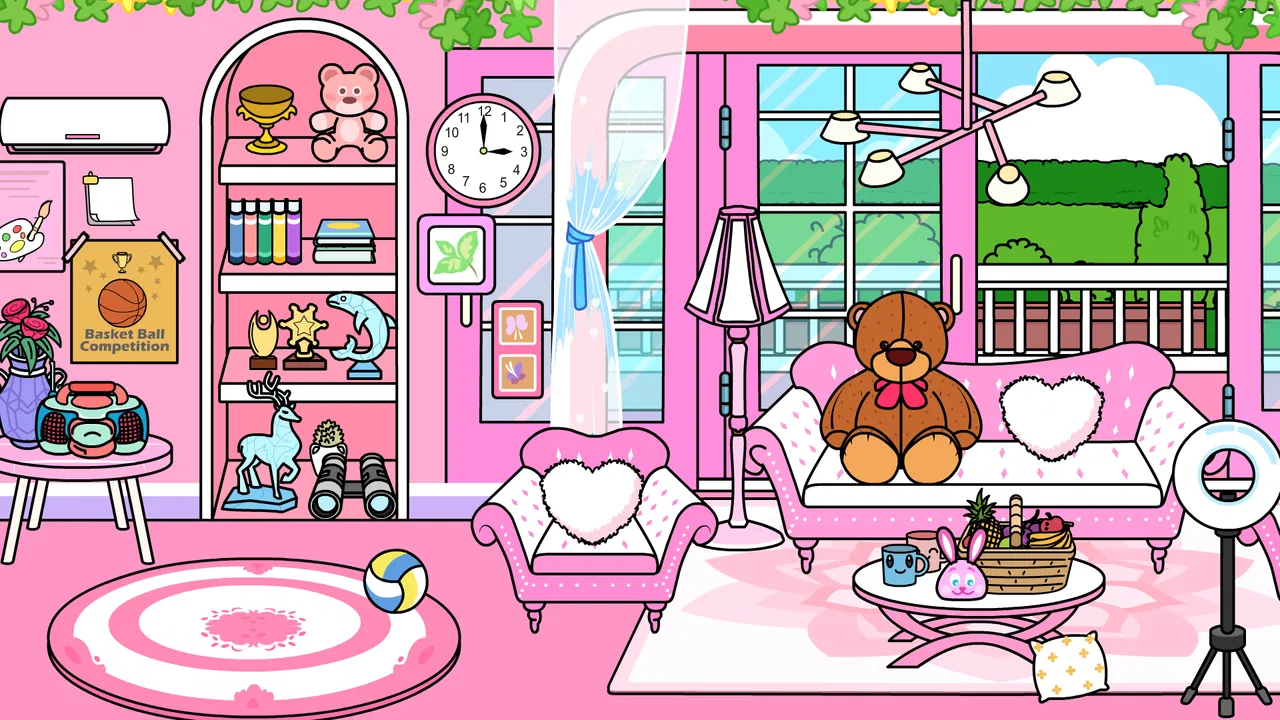
Tizi Town - Pink Home Decor
- 3.9
- Rating
- 10.00M
- Installs
- Free
- Price

 Analysis by App-foxy
I approached Tizi Town - Pink Home Decor as a small decision rather than a game to judge only by its bright pink presentation. It is a free educational game from Tizi Town Games, built around decorating a home and exploring an interior-design-style play space. After spending time with it, I found that its real appeal is not challenge or competition. It is the freedom to arrange a playful home scene, try different visual ideas, and let a child or casual player make choices without needing complicated instructions.
That makes it easy to recommend to a particular kind of player, but not to everyone. If you want a relaxed creative activity for a child, or a simple decorating game you can open for a short session, it has a lot going for it. If you are looking for a serious room-planning tool, a deep simulation, or a game with long-term goals and demanding progression, I would look elsewhere. The important question is whether you want imaginative play or a more structured game.
What I considered before recommending it
My first decision criterion was accessibility. The game is listed for Everyone and runs on devices using Android 7.0 or later, which makes it approachable for many families with older compatible phones and tablets. I also paid attention to whether the decorating activity felt understandable without a long tutorial. For a game aimed at relaxed home design, the player should be able to start experimenting quickly rather than learn a complicated control system first.
You May Also Like

 Blood Strike: 2.5 Anniversary
Blood Strike’s Loadouts Turn Every Drop Into a Tactical Gamble
A close look at Blood Strike’s custom loadouts: how fast access to signature weapons reshapes its battle royale rhythm, rewards preparation, and narrows the gap between fights.

 Pandora - Music & Podcasts
Pandora’s Music Is Easy to Start, but Harder to Recover
Pandora’s strength is its low-effort path from a seed to a station. Its weak spot is how much confidence it asks you to place in connection, setup, and quiet recovery.

 8 Ball Pool
 Is Built on Rivalries, Rematches, and Routine
A close look at the rivalries, rematches, shared routines, and unanswered safety questions that turn a quick pool match into a persistent mobile community.

 Samsung Music
’s Quiet Strength Is Playing What You Already Own
Its reach comes less from spectacle than from dependable access to a personal library. That simplicity is both the app’s strongest retention engine and its ceiling.

 AccuWeather: Weather Radar
AccuWeather Review: A Quick, Clear Forecast for Everyday Decisions
For everyday plans, the best forecast is the one you can understand quickly. AccuWeather makes rain timing, radar, and local conditions easy to act on, with a few trade-offs.

 Hill Climb Racing
Why Hill Climb Racing Still Turns Crashes Into One More Run
A tiny car, a bumpy hill and one more upgrade: Hill Climb Racing keeps resurfacing because its simple chaos makes every near-miss feel personal.
More From Our News Desk



The second criterion was the type of creativity it encourages. A home-decorating game can be enjoyable because it offers precise design control, because it tells a story through rooms, or simply because it gives the player a collection of objects to move around. This title sits closest to the third group. I see it as a guided imaginative space, not as professional interior-design software. That distinction matters when deciding whether it belongs on a young player’s device.
I also considered the practical side: the free starting point, the presence of optional purchases, and the way a family might use it in ordinary life. The game is free to download, while in-app purchases are listed at $1.99 per item. That is a manageable entry point for trying it, but adults should still decide in advance whether purchases are allowed. A child may view a decorated object as part of the fun, while a parent may prefer to keep the experience limited to what is available without spending.
Finally, I looked at how much value remains after the first few decorating sessions. The audience response is encouraging, with an average rating of 4.3 from around 8.7 thousand ratings, and the game has passed 10 million installs. Those figures suggest broad interest, but they do not replace personal fit. A popular creative game can still feel too simple for someone who expects detailed customization, while being exactly right for a younger player who wants immediate visual feedback.
The first few minutes set the tone
The strongest part of the experience is how quickly the idea makes sense. You enter a cheerful home environment, look at the available spaces and objects, and begin making choices. There is no need to understand a complex economy, manage a character’s statistics, or follow a difficult objective. The activity is visual and direct, which is why I can imagine it working well for a child who is still learning how games communicate instructions through icons and placement.
I especially like that decorating can become a conversation rather than a solitary task. An adult can ask why a particular item belongs in a room, what colors work together, or what kind of person might live there. That turns a few minutes of screen time into a small exercise in storytelling and decision-making. It is not formal design education, but it does give children a safe way to practice choosing, arranging and explaining.
There is also a useful difference between this kind of play and a drawing app. Drawing tools often ask the user to create everything from a blank page, which can be intimidating. Here, the home setting provides a frame. The player can concentrate on combinations and atmosphere instead of worrying about whether they can draw a convincing chair or room. For a child who enjoys pretend play but does not yet want open-ended creative software, that structure is a genuine advantage.
Where the home-decorating format wins
The game wins when the goal is low-pressure creativity. I would choose it for a quiet break, a shared tablet activity, or a child who enjoys arranging objects in dollhouse-like spaces. The pink visual identity gives the experience a clear personality, and the home setting is familiar enough that players can invent their own stories without needing a large fictional world explained to them.
It also works well as a short-session game. I do not need to reserve a long block of time to get something from it. A player can make a few changes, look at the result, and stop. That is useful for families who want an activity that does not depend on winning or reaching a particular stage before the session feels complete. The lack of pressure is a strength, especially for younger users who may become frustrated by timed challenges or repeated failure.
Another strength is the way it supports visual comparison. I found that changing one element at a time makes the decorating process more engaging: adjust a room, look at the overall mood, then decide whether another change helps. That simple workflow can teach a child that design is iterative. The first choice does not have to be permanent, and a room can be improved by testing alternatives rather than searching for one correct answer.
The most useful mindset is to treat each room as a small creative experiment, not a puzzle with one correct solution. That approach prevents disappointment if the game does not offer the precision or depth of a full design simulator. It also helps adults guide play without taking control away from the child.
Three ways I would use it beyond casual tapping
My first practical use is a “before and after” activity. I would let a child arrange a room freely, then ask them to describe what they wanted the room to feel like. After that, we could change one or two choices and compare the results. This makes the game more reflective and gives purpose to repeated decorating instead of treating every tap as an isolated action.
My second use is storytelling. A player can imagine who owns the home, what happens there during the day, and why a particular object belongs in a certain place. The game’s home setting gives children prompts for language practice: they can name rooms, describe colors, explain positions and invent routines. The app does not need to present itself as a lesson for this to happen naturally during play.
My third tip is to use it as a choice-management exercise. Rather than allowing unlimited changes without discussion, an adult can ask the child to choose a theme first, such as calm, playful or welcoming, and then make decorating decisions that support it. This introduces a simple design constraint. It also reveals whether the player enjoys the creative process itself or only the novelty of tapping through objects.
These uses are more valuable than simply leaving the game open as background entertainment. They turn the home into a prompt for conversation and planning. I would not claim that this replaces an educational lesson, but it gives the game a clearer purpose than its colorful appearance alone suggests.
Where another type of app may fit better
The best alternative depends on what you want from the category. If you want realistic planning, accurate room proportions, material choices or a professional workflow, this is not the right tool. A dedicated interior-design application would be a better match because its purpose would be closer to planning a real space than playing inside a stylized home. I would not use this game to decide where furniture should go in an actual apartment.
If you want a traditional game loop, you may also find it limited. Puzzle games provide clear problems to solve, while life simulations often include schedules, resources or character development. This decorating game is more open and immediate. That freedom is comfortable, but it can also feel like a lack of direction for players who need objectives, rewards or a sense of progression to stay interested.
Drawing and sandbox apps are another category to consider. They may provide more freedom to create from scratch, while this title offers a more contained home-decorating context. I would pick the sandbox option for a child who already enjoys constructing scenes and wants maximum control. I would pick this game for someone who benefits from a ready-made setting and a simpler route into creative play.
There is a trade-off here that is easy to miss. A more advanced alternative may offer more tools but also require more patience, reading, precision and supervision. A simpler game can be better for a younger player even when it has fewer possibilities. In my view, the right comparison is not “which app has more features?” but “which app lets this particular player create comfortably without becoming lost or bored?”
Who should skip it
I would skip it if my main goal were competitive play. There is no reason to choose a home-decorating experience when what I really want is a score, a match, a difficult level or a clear opponent. I would also skip it for an older player who expects sophisticated design controls. The cheerful presentation and straightforward activity are central to the game, not temporary training wheels for a deeper simulator.
I would be cautious if a child quickly loses interest in activities without a strong reward structure. Some players enjoy making a room look different simply because they made the change; others need missions and measurable progress. In the latter case, the game may provide a pleasant first session but struggle to hold attention over time.
I would also set expectations around purchases before handing over the device. Since optional items cost $1.99 each, the free download should not be treated as an unlimited promise that every decorative possibility is included. I would explain the household rule clearly, then let the child explore within that boundary. That small conversation avoids turning a creative activity into an argument about an unexpected purchase.
What switching to it feels like in everyday use
The cost of switching from another casual children’s game is low in terms of learning. The home concept is easy to understand, and a player who already enjoys arranging virtual spaces should feel comfortable quickly. The bigger cost is expectation. Someone moving from a game with levels and rewards may wonder what they are supposed to accomplish, while someone moving from a drawing app may notice that the creative space is more guided.
Imagine a rainy afternoon when a child has already finished a favorite puzzle game but still wants something calm. I could open this title, suggest creating a room for a fictional character, and let the child work through the idea without worrying about failure. If the child wants to keep experimenting, we could discuss the choices. If they finish after a short session, that is also fine; the game does not need to become a daily commitment to be useful.
On a shared family device, I would make the transition even smoother by deciding who controls purchases and whether the game is used independently or together. Younger children may benefit from an adult nearby during the first sessions, not because the decorating concept is difficult, but because discussing choices adds much more value than silent tapping. Older children may prefer to create privately and show the finished room afterward.
The current version is 1.4.4, and the game was released on March 5, 2024. I would still judge it by how well it fits the player’s habits rather than by version numbers. The practical questions are simpler: does the device meet the Android requirement, is the visual style appealing, and will the player enjoy open-ended decorating more than structured challenges?
A closer look at the educational value
Calling it an educational game is reasonable, but I would describe the learning as informal. The player practices selecting, arranging, comparing and communicating. Those are useful habits, yet the game does not turn them into a formal curriculum. Parents should see it as creative play with educational benefits, not as a substitute for a dedicated learning app.
The strongest learning moment comes when a player has to explain a choice. Why does this item belong in the room? What makes the space feel comfortable? What would change if the room were meant for someone else? These questions encourage observation and basic reasoning. They also make it easier for an adult to notice whether the child is experimenting intentionally or simply selecting the first attractive option.
I would avoid correcting every design decision. The value is in letting the player develop a preference, even when the result is unusual. A room that looks crowded or mismatched can still be a successful creative experiment. If an adult turns the activity into a lesson about proper taste, the game loses the relaxed quality that makes it approachable in the first place.
My recommendation after weighing the trade-offs
My recommendation is positive for children and casual players who want a friendly, pink-themed home-decorating game with an easy starting point. The free price makes it sensible to try, the Everyone rating supports its family-friendly positioning, and the large install base shows that the format has reached many players. I would introduce it as a creative activity, not promise a deep simulation or a conventional game campaign.
I would recommend adult guidance around the optional purchases, especially on a shared device. I would also encourage parents to extend the experience with conversation, storytelling or a small decorating challenge, because that is where the game becomes more than a sequence of visual choices. Used this way, it can support imagination without demanding much time or technical skill.
For players who want realistic interior design, detailed construction, serious progression or competitive goals, I would choose a different category. This title is at its best when simplicity is an advantage. Choose it for approachable creative play; skip it when depth, realism or challenge matters more than immediate decorating.
Overall, I see Tizi Town - Pink Home Decor as a pleasant first step into virtual interior design rather than a complete design studio. Its value comes from giving a player a familiar home, a colorful setting and room to make personal choices. That is a modest idea, but it is handled in a way that can work well for short, imaginative sessions. If that is what you or your child is looking for, I would feel comfortable recommending it.
FAQs for Tizi Town - Pink Home Decor
01What is Tizi Town - Pink Home Decor about?
Tizi Town - Pink Home Decor is a creative simulation app designed for children that allows them to explore and decorate a virtual home. With a focus on imaginative play, users can arrange furniture, design rooms, and interact with various characters. The vibrant, pink-themed environment stimulates creativity and provides endless possibilities for customization.
02Is Tizi Town - Pink Home Decor safe for children to use?
Yes, Tizi Town - Pink Home Decor is designed with child safety in mind. The app features no inappropriate content and promotes a safe environment for kids to explore their creativity. However, it's always advisable for parents to review the app settings and monitor usage to ensure a secure experience.
03Does Tizi Town - Pink Home Decor require an internet connection?
Tizi Town - Pink Home Decor can be played offline, making it accessible without an internet connection. However, certain features or updates may require internet access. Playing offline is perfect for travel or areas with limited connectivity, ensuring continuous playtime without interruptions.
04Are there in-app purchases in Tizi Town - Pink Home Decor?
Yes, Tizi Town - Pink Home Decor offers in-app purchases that unlock additional features or items. While the core gameplay is free, these optional purchases can enhance the experience with extra content. Parents should consider setting up parental controls to manage or prevent unintended purchases by children.
05What age group is Tizi Town - Pink Home Decor suitable for?
Tizi Town - Pink Home Decor is generally suitable for children aged 4 and above. Its intuitive design and simple mechanics make it easy for young users to navigate. The app encourages creative expression and interactive play, making it an excellent choice for early childhood entertainment and development.
Pros
- Intuitive design for user-friendly navigation.
- Diverse decor options to spark creativity.
- Regular updates with new decor items.
- Offline mode available for uninterrupted play.
- Encourages imaginative play and storytelling.
Cons
- Limited free features without in-app purchases.
- No multiplayer mode for shared creativity.
- Some items require watching ads to unlock.
- Occasional bugs during item placement.
- May not engage older users for long periods.

Tizi Town - Pink Home Decor
Gallery